
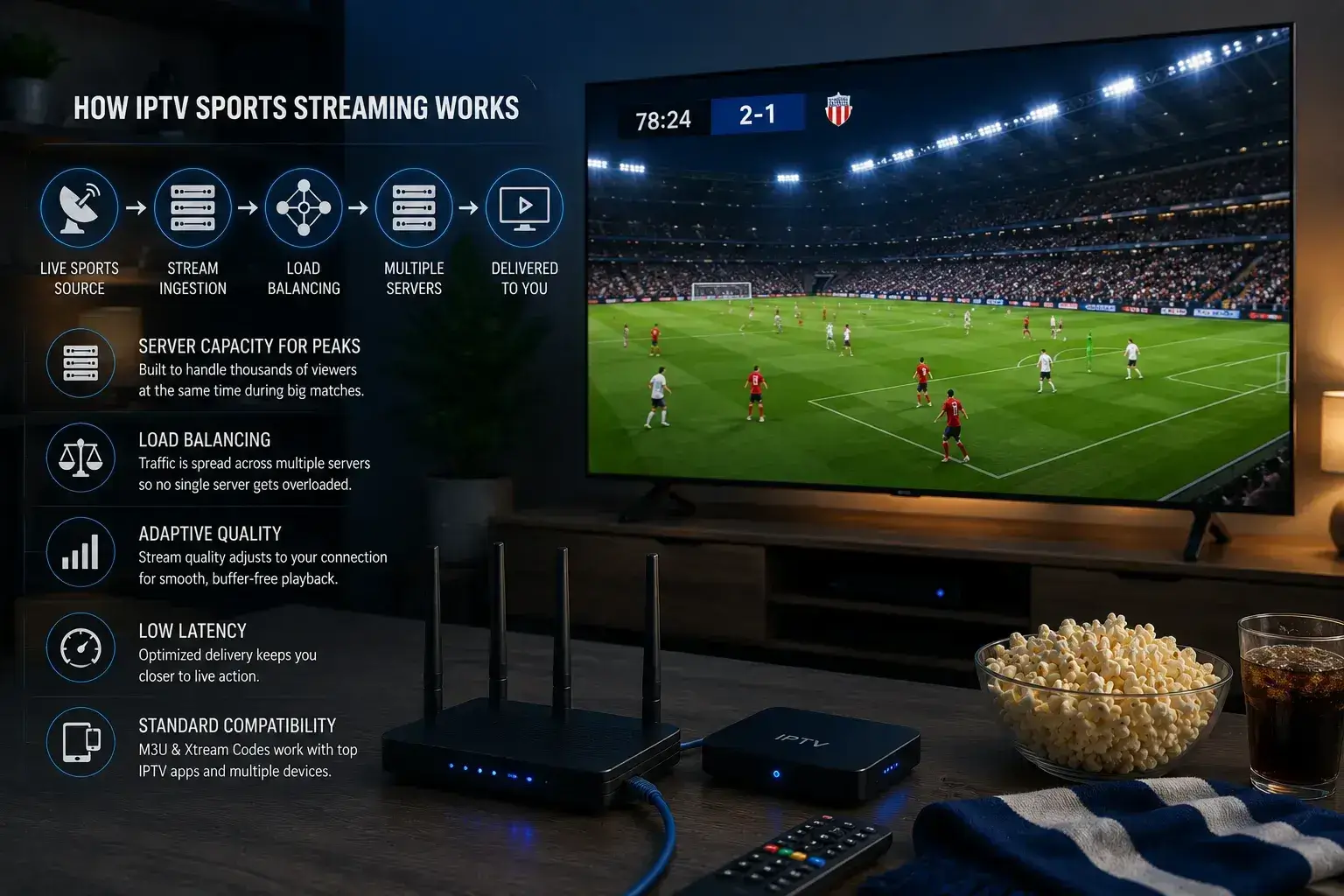
Viking IPTV manages sports streaming through server capacity built for peak-hour load, load balancing that spreads viewers across multiple servers during big matches, adaptive quality that adjusts to each viewer’s connection, and low-latency delivery that keeps streams close to live. Combined with standard M3U and Xtream compatibility, this is what keeps a match smooth when thousands of fans watch the same channel at once.
Most articles about IPTV quality tell you what to change on your own device. Useful, but it’s only half the picture. The other half happens on the provider’s side, before the stream ever reaches you, and it’s the half that decides whether a match holds together during the moments that matter.
Here’s a plain-language look at what actually goes on behind a sports stream, and why the provider’s engineering matters as much as your Ethernet cable.
The Problem Every Sports Stream Has to Solve
Sport creates a load pattern that nothing else does.
On-demand content spreads out. People watch films and series scattered across the day and week, so the demand on any given server stays fairly even. Live sport does the opposite. Thousands of people request the exact same stream in the exact same ninety-minute window, and that spike is brutal on infrastructure that wasn’t built for it.
This is why a service can look flawless all week and collapse the moment a big fixture starts. It’s not that the streaming stopped working, it’s that too many people asked for the same thing at the same second, and the servers couldn’t keep up.
Managing sport well means engineering specifically for that spike. Here’s how that’s done.
Server Capacity Built for Peaks, Not Averages
The first and most important piece is simply having enough server power in the right places.
A lot of providers size their infrastructure around average demand, because it’s cheaper. That works right up until a peak event, at which point average-sized capacity is nowhere near enough. The fix isn’t clever, it’s just expensive: build for the busy moments, not the quiet ones, and accept that most of that capacity sits idle at 3 am.
That’s the trade-off behind a stream that stays smooth at kickoff. Capacity that looks like overkill on a Tuesday is exactly what’s needed on a Saturday.
Load Balancing Across Multiple Servers
Having capacity isn’t enough on its own. It has to be distributed intelligently.
Load balancing spreads incoming viewers across multiple servers rather than funnelling everyone onto one. When a match draws a crowd, the system shares that demand out, so no single server gets overwhelmed while others sit unused. If one server starts to strain, traffic shifts to another with room to spare.
For the viewer, this is invisible, and that’s the point. Done right, you never know it happened. You just get a stream that doesn’t stutter when the crowd piles in.
Adaptive Quality That Reads Your Connection
Not everyone watching a match has the same internet. Someone’s on fibre, someone’s on a weaker line, someone’s on hotel Wi-Fi.
Adaptive delivery adjusts to each viewer individually. A strong connection gets the full-quality stream. A weaker one gets a version tuned to what it can actually carry, which keeps the match playing smoothly instead of freezing while it waits for data that isn’t arriving fast enough.
The goal is continuity. A slightly softer picture that never stops beats a pristine one that buffers through a goal every time.
Low-Latency Delivery
Latency is the gap between the real-world action and what appears on your screen. For sport, it matters more than almost anything.
High latency is why your phone sometimes buzzes with a goal alert before you’ve seen the ball hit the net, or why a neighbour’s cheer arrives seconds before your stream catches up. Keeping that gap small takes deliberate engineering in how the stream is packaged and delivered.
Tighter latency keeps you closer to genuinely live, which is the entire point of watching sport as it happens rather than catching highlights later.
Standard Formats, So Your Setup Isn’t the Bottleneck
None of the above helps if the last step, getting the stream into your player, is clumsy.
Viking IPTV delivers through standard M3U links and Xtream Codes, which work with well-built IPTV apps like TiviMate and IPTV Smarters Pro. That matters because those apps are highly optimised for playback, buffering, and hardware decoding. You get to pair a well-managed stream with a well-built player, instead of being locked into a mediocre proprietary app that undoes the work done upstream. The installation guide covers app setup on each device.
Where Your Setup Still Matters
Provider-side engineering gets the stream to your door in good shape. What happens after that is on you, and it’s worth getting right so you’re not the weak link:
- Wire your TV with Ethernet. Even the best-delivered stream suffers over unstable Wi-Fi.
- Enable hardware decoding in your app, so your device handles high-bitrate sport cleanly.
- Raise the buffer size slightly to smooth over any brief dips.
- Turn off motion smoothing on your TV, it makes live sport look artificial.
- Load the channel early, so you’re settled before kickoff rather than troubleshooting during it.
Get both halves right, solid delivery from the provider and a clean setup on your end, and that’s when a sports stream actually looks the way it should.
The Honest Limit
One thing no provider can engineer around: a stream can’t be better than its source broadcast. If a channel is broadcasting at 1080p, no server does true 4K. Good management means delivering the full quality that does exist, reliably and close to live, not inventing quality that was never there. Any service claiming to exceed the source is overselling.